



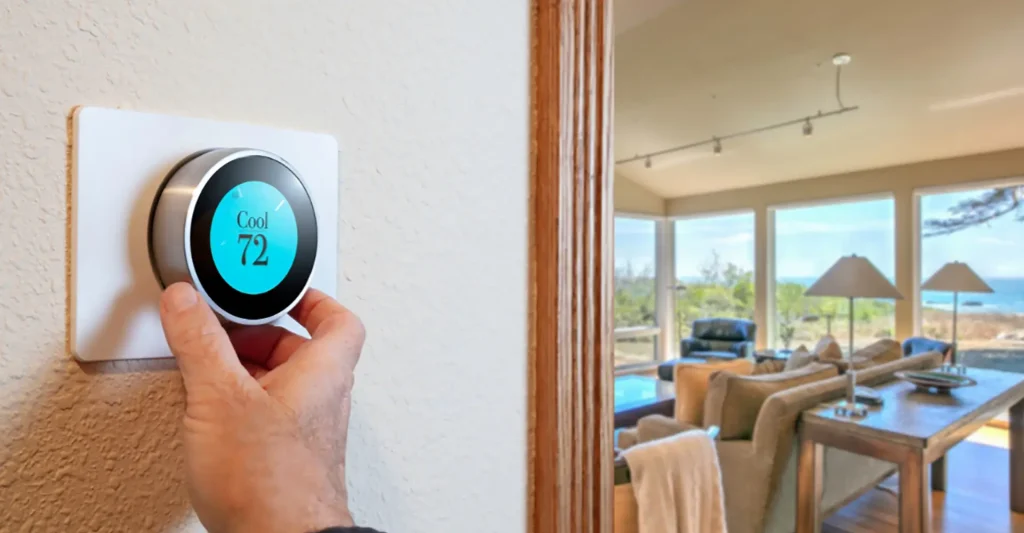
Programming your thermostat effectively is a crucial aspect of maintaining a comfortable home environment, especially during the sweltering California summers. With proper programming, you can maximize your air conditioning system’s efficiency, reduce energy consumption, and avoid unnecessary AC repair. In this guide, we’ll walk you through the steps to program your thermostat for optimal cooling, ensuring your home remains a refreshing retreat from the heat.
Understanding Your Thermostat
Before diving into programming, it’s important to understand the type of thermostat you have. The most common types are:
- Manual Thermostats: These require you to set the temperature manually each time you want to change it.
- Programmable Thermostats: These allow you to set a schedule for different times of the day and week.
- Smart Thermostats: These advanced devices can learn your preferences over time, adjust based on your behavior, and can be controlled remotely via smartphone.
If you’re unsure about the type of thermostat in your home, consult the user manual or contact an HVAC professional for assistance.
Step-by-Step Guide to Programming Your Thermostat
- Set Your Desired Temperature:
Start by choosing a temperature that keeps you comfortable while minimizing energy use. A commonly recommended setting is between 70-78°F when you’re at home and awake. If your thermostat is programmable or smart, set it to automatically increase the temperature by 7-10°F when you’re away from home. - Program a Weekly Schedule:
For programmable thermostats, create a schedule that matches your daily routine. For example:- Morning: Set the temperature between 70-78°F before you wake up.
- Daytime: Increase the temperature by 7-10°F when you’re at work or school.
- Evening: Lower the temperature back to 70-78°F before you return home.
- Night: Set a comfortable sleeping temperature, usually around 70°F, to ensure a good night’s rest.
- Smart thermostats can learn your schedule and adjust automatically, making this process even easier.
- Use the Thermostat’s Fan Settings:
Most thermostats have a fan setting that can either be set to “On” or “Auto.” For optimal cooling, select the “Auto” setting, which ensures the fan only runs when the AC is on. This helps save energy and reduces the need for frequent AC maintenance. - Adjust for Vacations and Extended Absences:
If you’re going to be away for an extended period, set the thermostat to a higher temperature, such as 85°F, to save energy while still preventing your home from becoming too warm. Many programmable and smart thermostats have a “vacation mode” for this purpose. - Seasonal Adjustments:
As the seasons change, remember to adjust your thermostat settings. In California, the transition from summer to fall can still bring warm days, so maintain your cooling settings until the weather consistently cools down.
Benefits of Proper Thermostat Programming
Programming your thermostat for optimal cooling not only enhances comfort but also contributes to significant energy savings. According to the U.S. Department of Energy, you can save up to 10% a year on heating and cooling by simply adjusting your thermostat 7°-10°F for 8 hours a day. Additionally, by reducing the strain on your AC unit, you’ll likely require less frequent AC repair, extending the lifespan of your system.
Areas We Serve
At Happy Camper, we’re dedicated to providing top-notch HVAC and plumbing services across a wide range of California areas, including:
- Downey
- Fullerton
- Huntington Beach
- Irvine
- Pasadena
- Rancho Cucamonga
Keep Your Home Cool and Comfortable!
Don’t let the heat get the best of you! If you need help programming your thermostat, or if your AC system isn’t performing as it should, contact Happy Camper today. Our team of experts is ready to assist with all your AC maintenance and repair needs, ensuring your home remains a cool haven all summer long.
FAQ Section
What temperature should I set my thermostat to in summer?
For optimal cooling and energy efficiency, set your thermostat to 78°F when you’re home and increase it by 7-10°F when you’re away.
How can I reduce my energy bills with my thermostat?
By programming your thermostat to adjust the temperature when you’re not home or asleep, you can significantly reduce your energy usage and lower your bills.
What is the difference between the “On” and “Auto” fan settings?
The “On” setting keeps the fan running continuously, while “Auto” only runs the fan when the AC is cooling. “Auto” is more energy-efficient and recommended for optimal cooling.
How often should I update my thermostat settings?
Adjust your thermostat settings seasonally and whenever there are changes in your routine to ensure your home remains comfortable and energy-efficient.
Can a programmable thermostat really save money?
Yes, a programmable thermostat can help you save up to 10% on energy bills by allowing you to set specific temperatures for different times of the day, reducing unnecessary cooling.